myCNC software allows the user to implement MQL, or Minimum Quantity Lubrication, on their machines.
MQL is a process in which tiny drops of high-quality aerosol lubricant are sprayed over the cutting tool and the material, providing lubrication at extremely low rates of lubricant use. This allows for a greatly reduced fluid usage (with the workpiece being nearly dry throughout the lubrication process) as opposed to typical flood setups, resulting in a greener environmental impact and eliminating the need for fluid disposal.
MQL is available in myCNC software by going into the Step/Dir Coolant control tab within User Settings, where you can set the coolant rate:

The fine-tuning is done through the built-in PLC procedures, with the setup described in detail in the Independent Pulse Generator manual. To find out more about Minimum Quantity Lubrication, visit the MQL manual on our Documentation wiki.
A new version of myCNC software is now available.
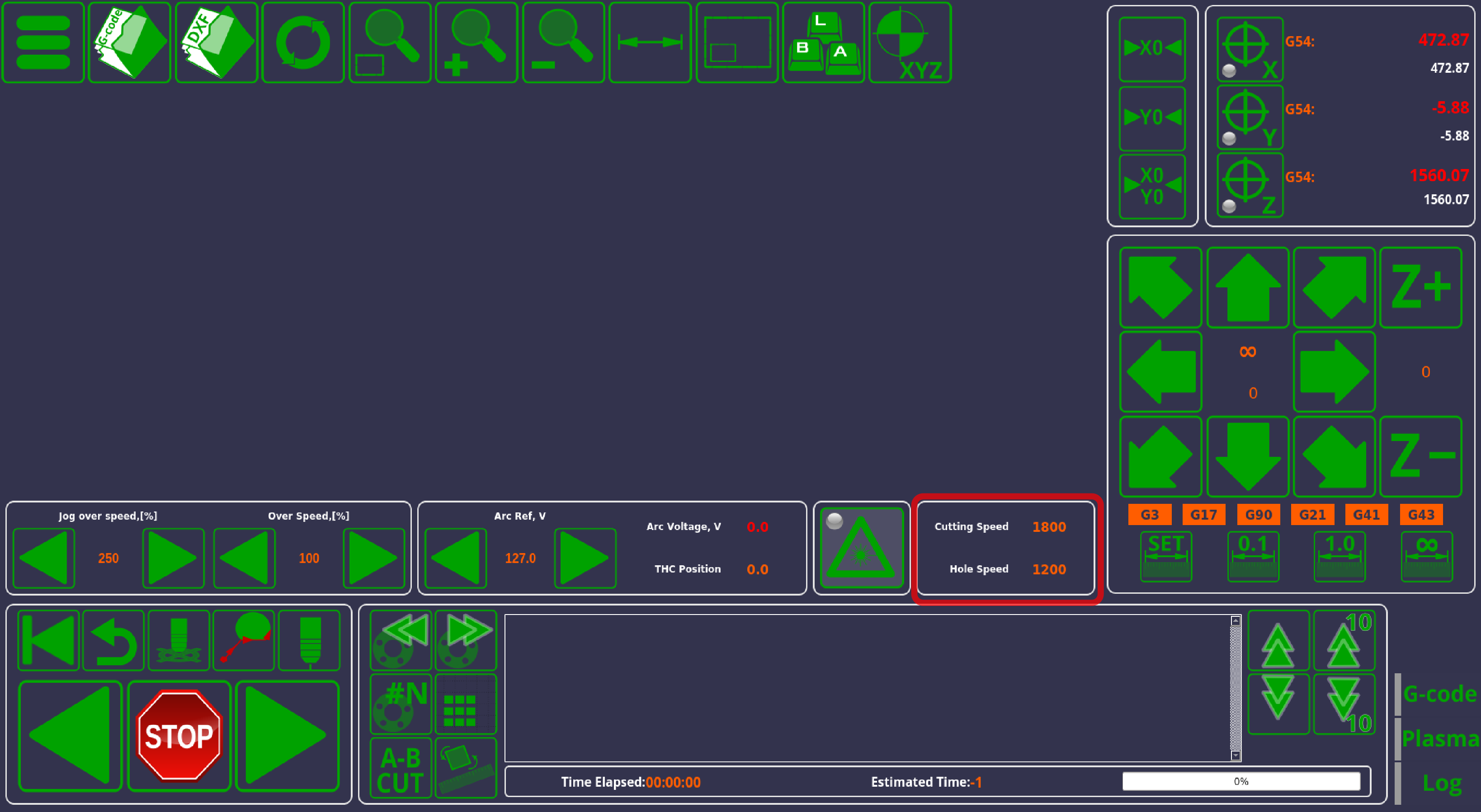
In this version, we have added a separate "Hole Speed" value for hole cutting in plasma profiles. This allows the user to manually set the cutting speeds for holes, or to use the imported cutting speed from the cutcharts (such as the Kjellberg cutcharts, which have a separate category for hole cutting speeds):
In order to enable this setting, go into Settings> Config> Technology> Plasma Cutting> Plasma Settings, and enable Arcs Slow Speed Control:
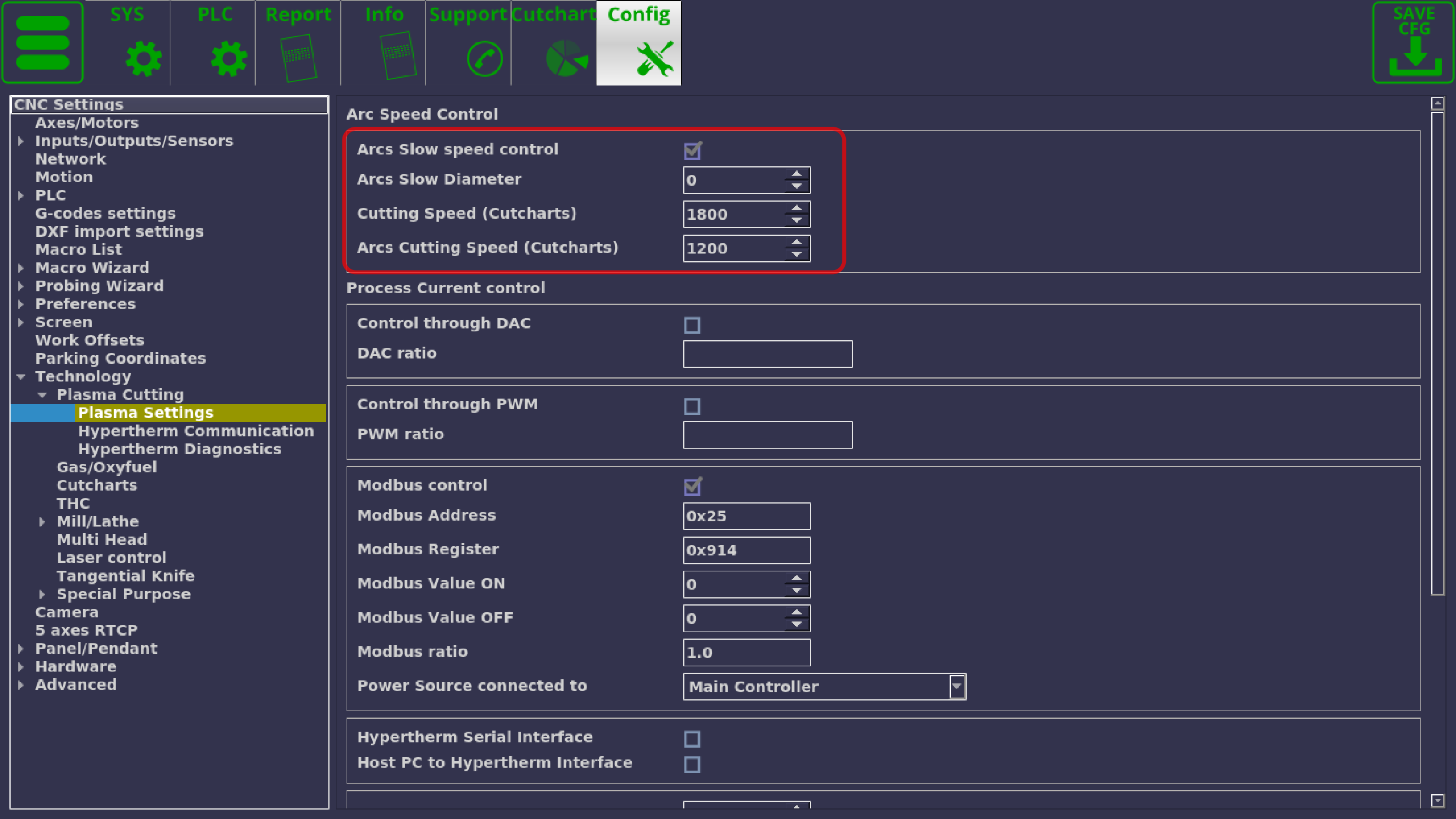
The Arcs Slow Diameter allows to set the cutting speed to the hole speed automatically in cases when the diameter of the hole is less than what is specified. If the diameter is set to zero (as in the screenshot above), then only manual switching between the speeds will be available. This is done via the M17/M18 commands to enable/disable hole speed cutting.
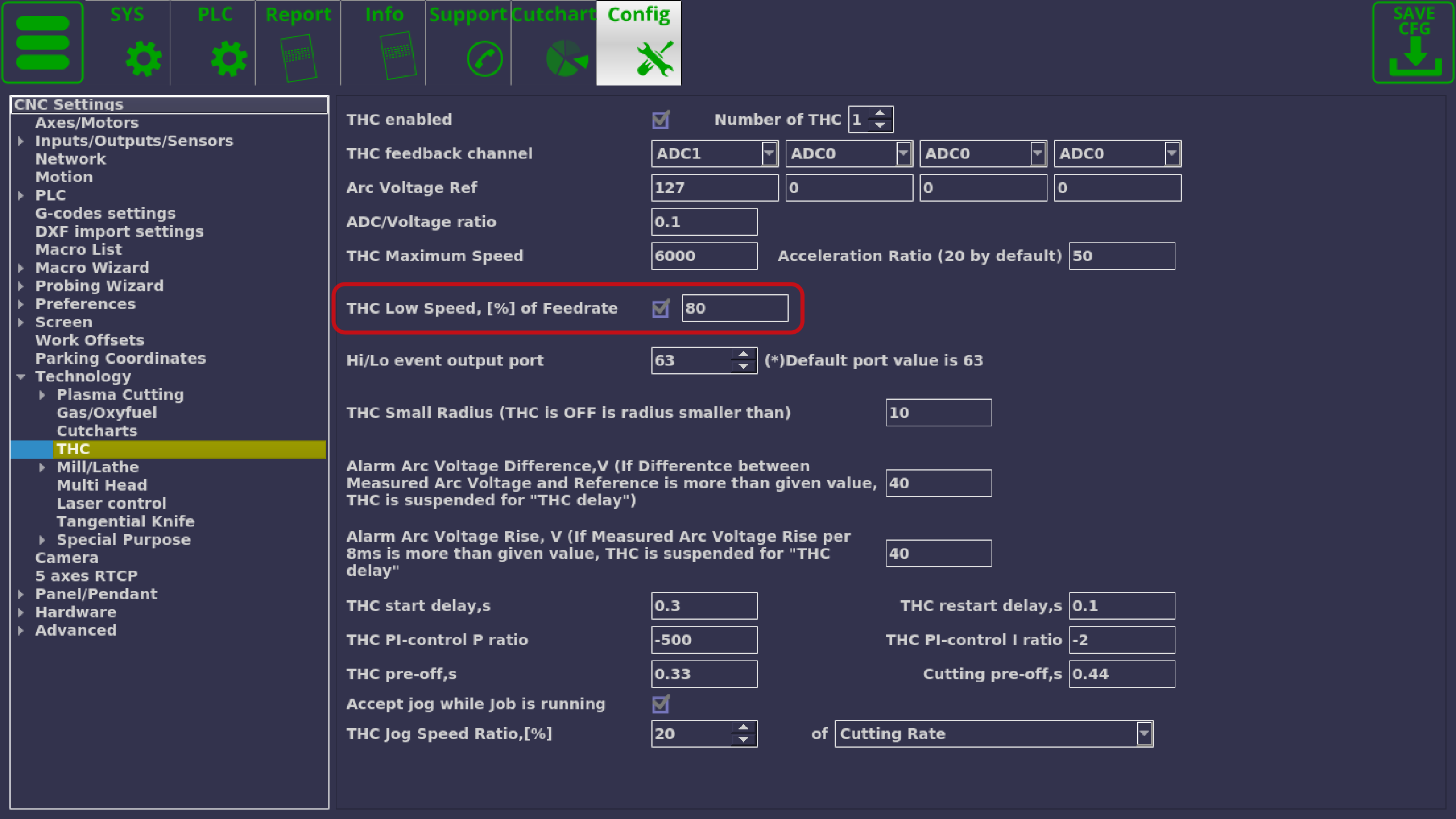
Torch Height Control has been improved by allowing the user to set the percentage of speedrate under which the THC will temporarily turn off (for example, at corners) as opposed to the previous implementation which required the user to input an exact cutting speed below which the THC would be turned off. This is benificial in cases such as the one described above, when multiple cutting speeds are used throughout the cutting job (such as a slower hole speed, etc). The updated THC setting can be found in Settings> Config> Technology> THC> THC Low Speed, [%] of Feedrate:
Note that enabling arc control will disable F-codes present in the G-code program (the hole/arc speed overrides the F-codes). To enable F-codes again, disable arc control.
The updated X1366P profile will be available shortly at our Downloads page.
Stay tuned for more updates!
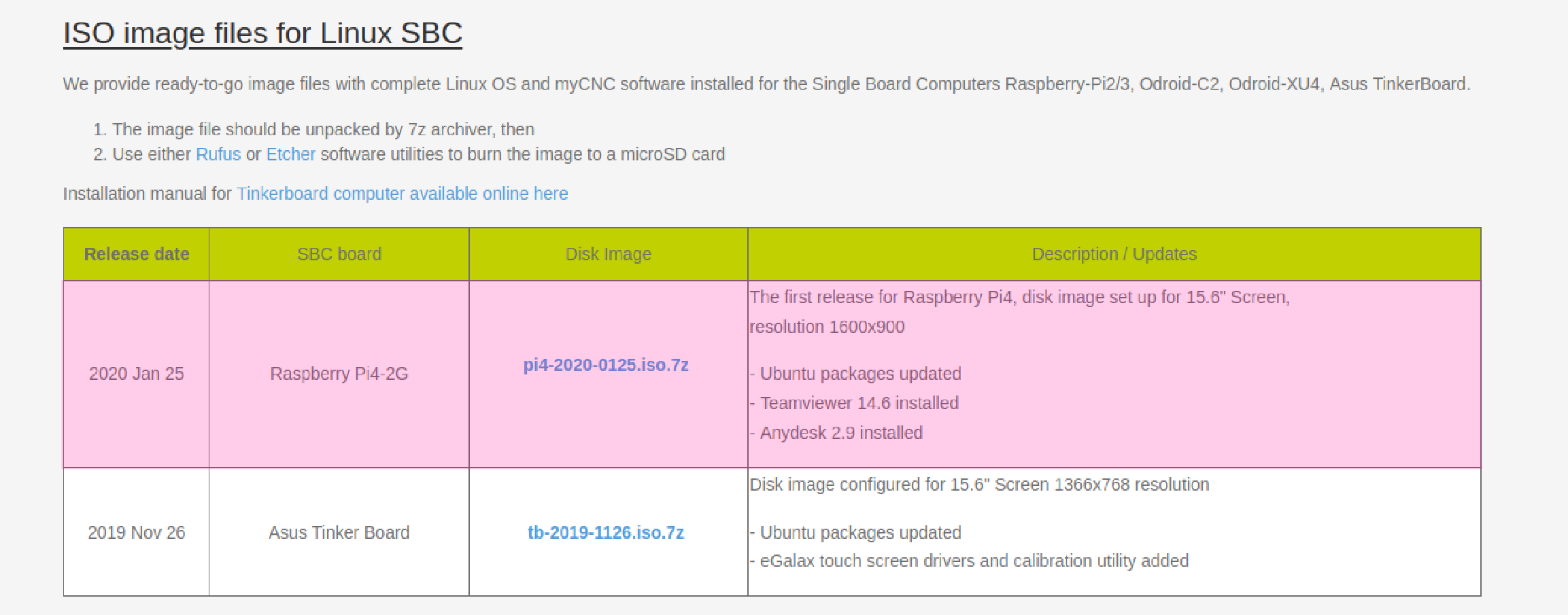
The disk image for Raspberry Pi 4 containing the myCNC software is now available for download on our Downloads page. The image has been tested on the 2GB version of Raspberry Pi 4, and the disk image is set up for a 15.6" screens and above (1600x900 resolution).
A general installation manual is available here.
New Features
The latest release of myCNC software brings improvements to filter out unwanted signals on common inputs, as well as signals sent from the operator panel. These settings can be found by going into Settings> Config> Hardware> Common Hardware Settings within the myCNC application:
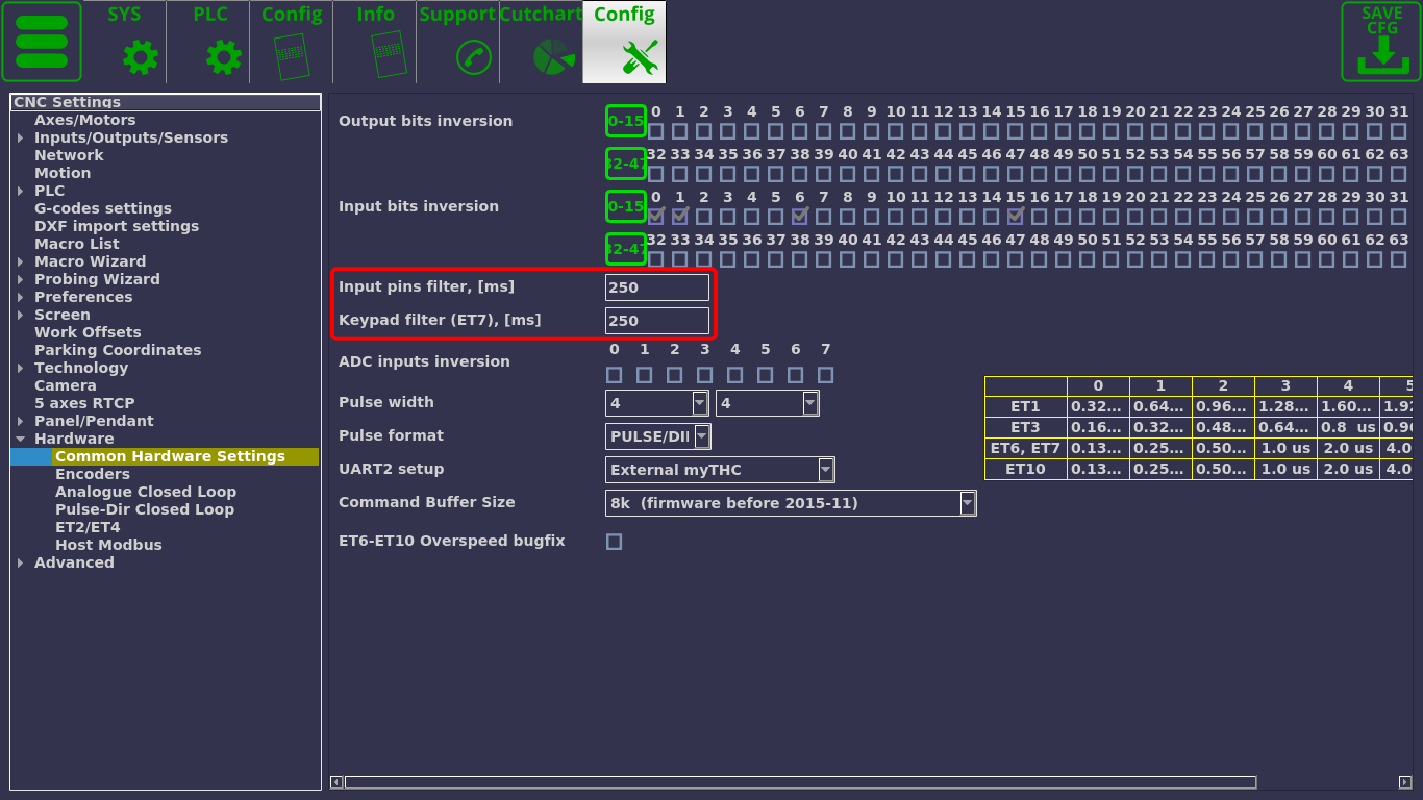
The maximum delay limit on the filter is currently set to 250ms on the input pins filter. and to 10000ms (10 seconds) on the keyboard filter. This means that in order to have the controller register the input from its input ports or its keyboard panel, the signal must be repeated (button held, or key pressed) for a specified amount of time. This should allow to mitigate electrical noise and accidental presses which would otherwise interrupt the workflow.
Bug Fixes
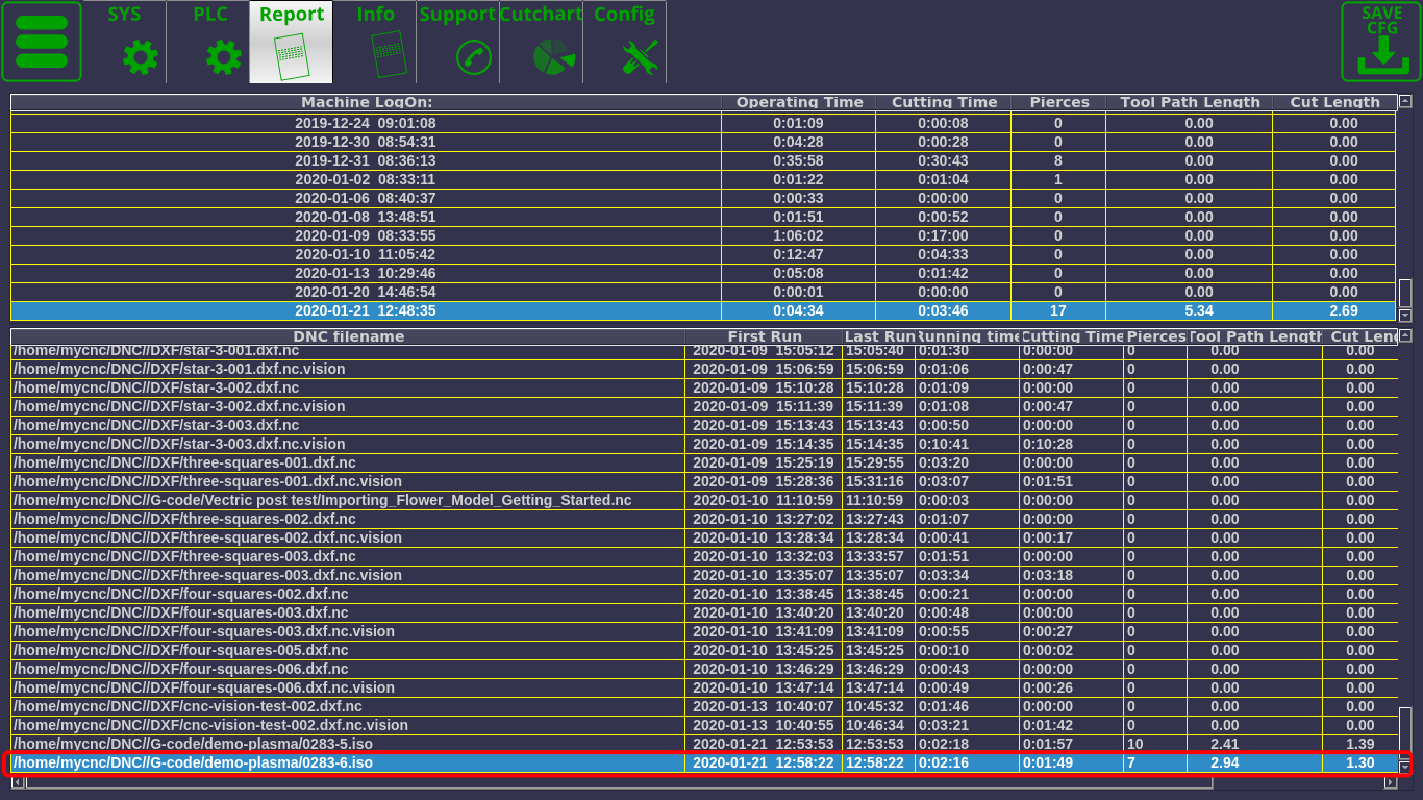
The Report tab is now showing correctly the number of pierce times, the tool path length and the total cut length:
Stay tuned for more updates!