The above video has been provided to us by our client who has been implementing a plasma square pipe cutting setup.
Additionally, we will soon begin providing SheetCam software licenses for those of our clients purchasing a a controller for a pipe cutting machine. We have also recently began to provide a custom myCNC post-processor for SheetCam - more information on both of these options is available on request.
General information on pipe cutting is available in our documentation: http://docs.pv-automation.com/mycnc/pipe_cutting
Stay tuned for further updates!

The latest myCNC update (v.1.88.4543) brings additional kinematics options for different machine configurations.
Improvements are made to the Jewellery section, and two new configurations (XYZ_A and XYZ_B) are added for 4-axes setups.
You can update the application through the Support tab.
Stay tuned for further updates!
For the convenience of our Eastern European clients, the myCNC-ET6 and myCNC-ET7 controllers are now carried by OSA-CNC in Ukraine. Controller support for the controllers purchased from their website will also be provided directly by OSA-CNC.
Please visit their website at osa-cnc.xyz, or contact them at
Happy shopping!
In the latest update of myCNC software, we have added global variable #7696, GVAR_CUTCHART_FEEDRATE_PRIORITY.
This variable will serve as a flag for determining speed priorities in myCNC:
- if set to 0, then the F-code value for speed is used, if present
- if set to 1, then speed from Cutcharts has a higher priority and the F-code is ignored
In addition to this, a new manual on speed priorities has been added to myCNC Documentation: http://docs.pv-automation.com/mycnc/speed_priority

This should hopefully serve as a helpful reference point for all information related to feed rate, simulation speed and other speed priorities within myCNC.
Stay tuned for more updates!
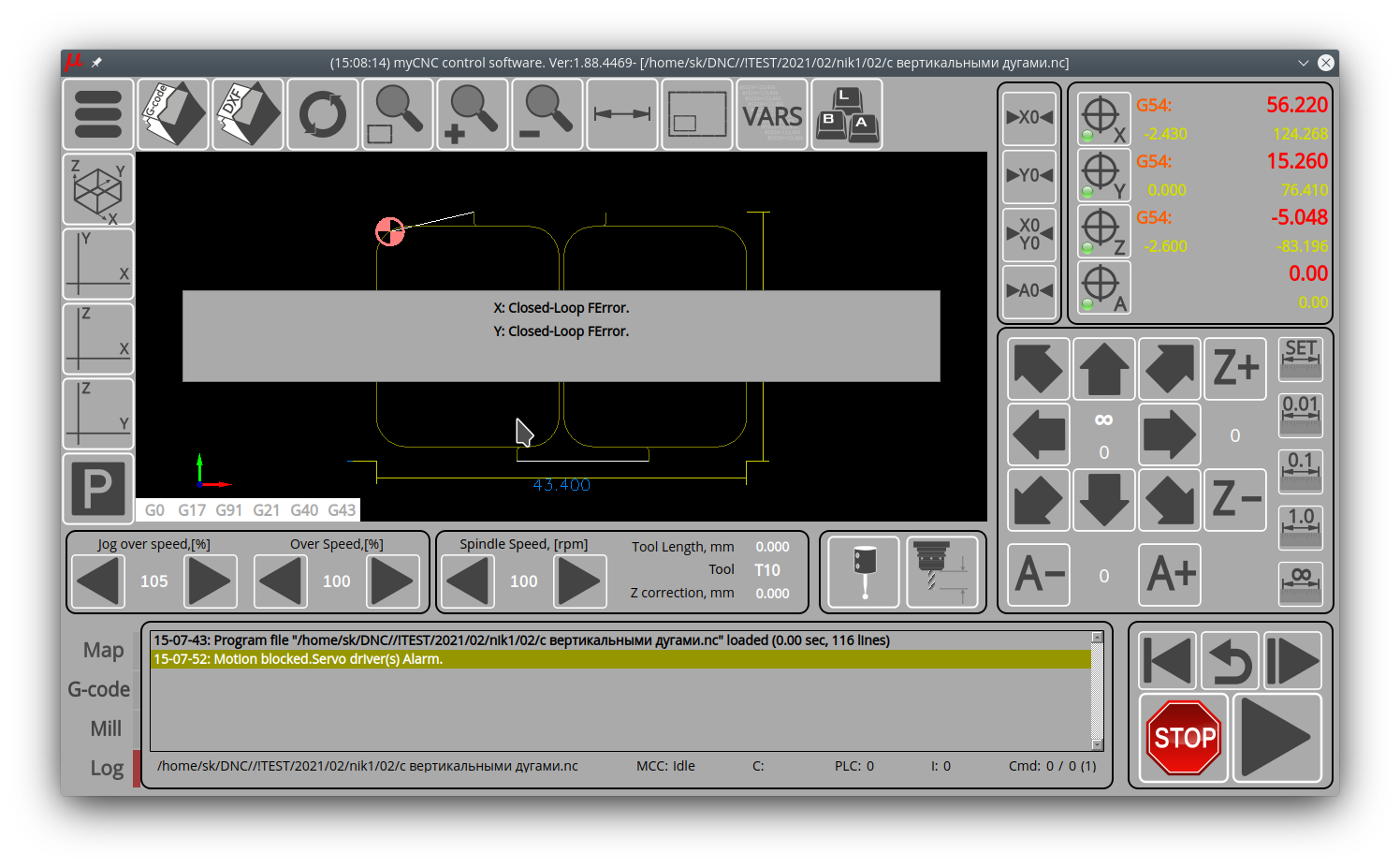
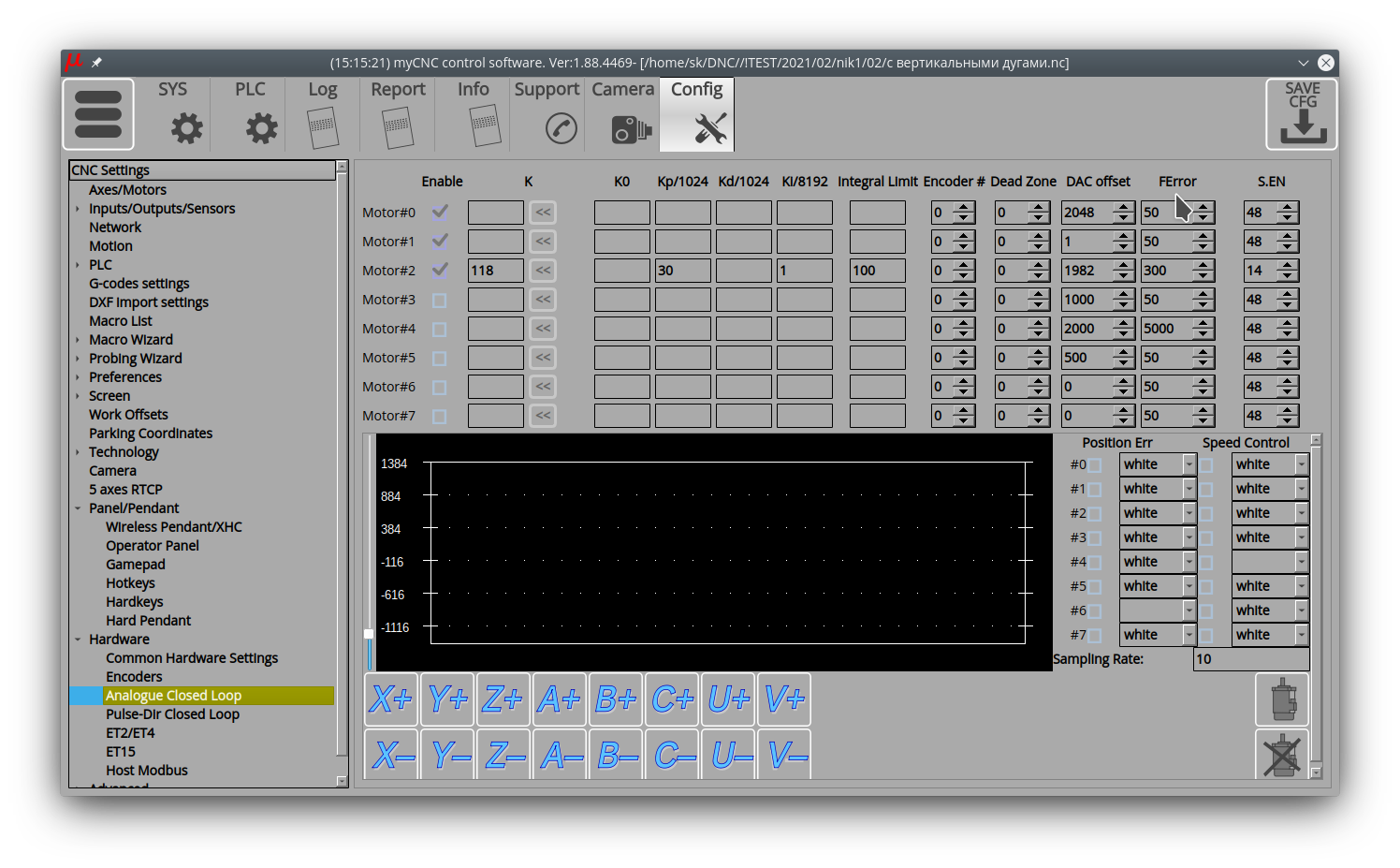
In our latest myCNC update, we are focusing on expanding the existing functionality for closed-loop systems. We are improving handling of the desynchronization FError, the functionality of turning off the servos with the ServoOn signal, as well as the sending of messages and blocking start up in case of errors from one of the Closed-Loop PID regulators.
To allow more granular control over these settings, two additional columns have been added to the Analogue Close Loop tab in our Settings, FError and S.EN (Servo Enable):
The update should be live in the coming days. Stay tuned for further updates!