
• Home
  • Products
      • Back
      • ET6/ET8
          • Back
          • myCNC-ET6
          • myCNC-ET6 Reflash Firmware
          • myCNC-ET6 Hardware Troubleshooting
      • myCNC Software
          • Back
          • Main Features
          • myCNC Software Installation
          • Main Advantages
          • Change Log
      • Compare myCNC controllers
      • Ethernet CNC control electronic kits
      • ET10/ET12
          • Back
          • myCNC-ET10
          • myCNC-ET10 reflash firmware
      • CNC Vision
      • Sensors
          • Back
          • Probe Sensors
          • Ohmic Sensors
      • Modbus Devices
      • Wireless Pendants
      • CAM Software
          • Back
          • ProNest
          • SheetCam
      • EtherCAT (COMING SOON)
      • Obsolete products
          • Back
          • ET1
          • ET3
          • ET4
          • ET5
          • THC addon board
          • ET3+7PC kit
  • Application
      • Back
      • Plasma/Gas Cutting
          • Back
          • myCNC Plasma Profiles
          • Plasma Cutting Examples
          • myCNC Oxy-fuel Profile
      • Tangential Knife
          • Back
          • myCNC Profile
      • Mill
          • Back
          • Mill Examples
          • myCNC Mill Profiles
      • Routers
      • CNC Vision
          • Back
          • CNC Vision Setup
          • CNC Vision Demo
      • Turning (Lathe)
      • Turn and Mill
      • Laser Cutting CNC
      • Robots
      • Special purpose machines
      • Gear cutter synchronization
      • Pipe Cutting
  • Pricing
  • Download
  • Shop
  • About
      • Back
      • Our History
      • Our Vision
      • Global Reach
  • Blog
  • Support
      • Back
      • Technical Support
      • Online Docs
      • FAQ
      • Terms and Conditions
      • Contact Us
  • Media Files
      • Back
      • Videos
          • Back
          • Tutorial Videos
          • Client Videos
      • Photos
          • Back
          • Machine Photos
          • Manufactured Parts Photos
  • Search
  1. Home
  2. Blog

Fusion360 3 axis mill post processor now available for myCNC

A post processor for Autodesk Fusion360 has been added to the Downloads page of our website. The post processor is currently working well for 3 axis mill machines, and will later be expanded further to support 3+2 and 5 axis simultaneous machining.

The post processor is available here. Stay tuned for further updates.
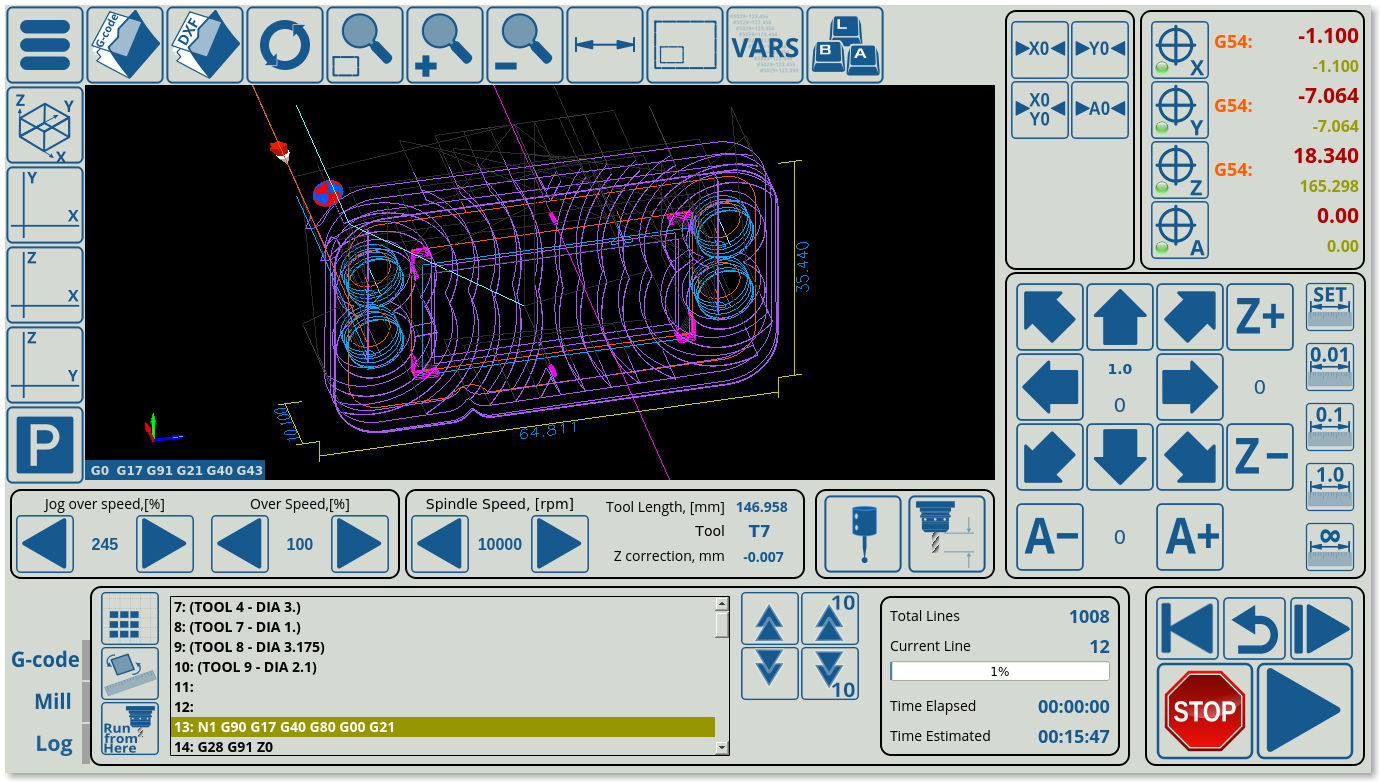
 

Custom 3D visualization tool colours

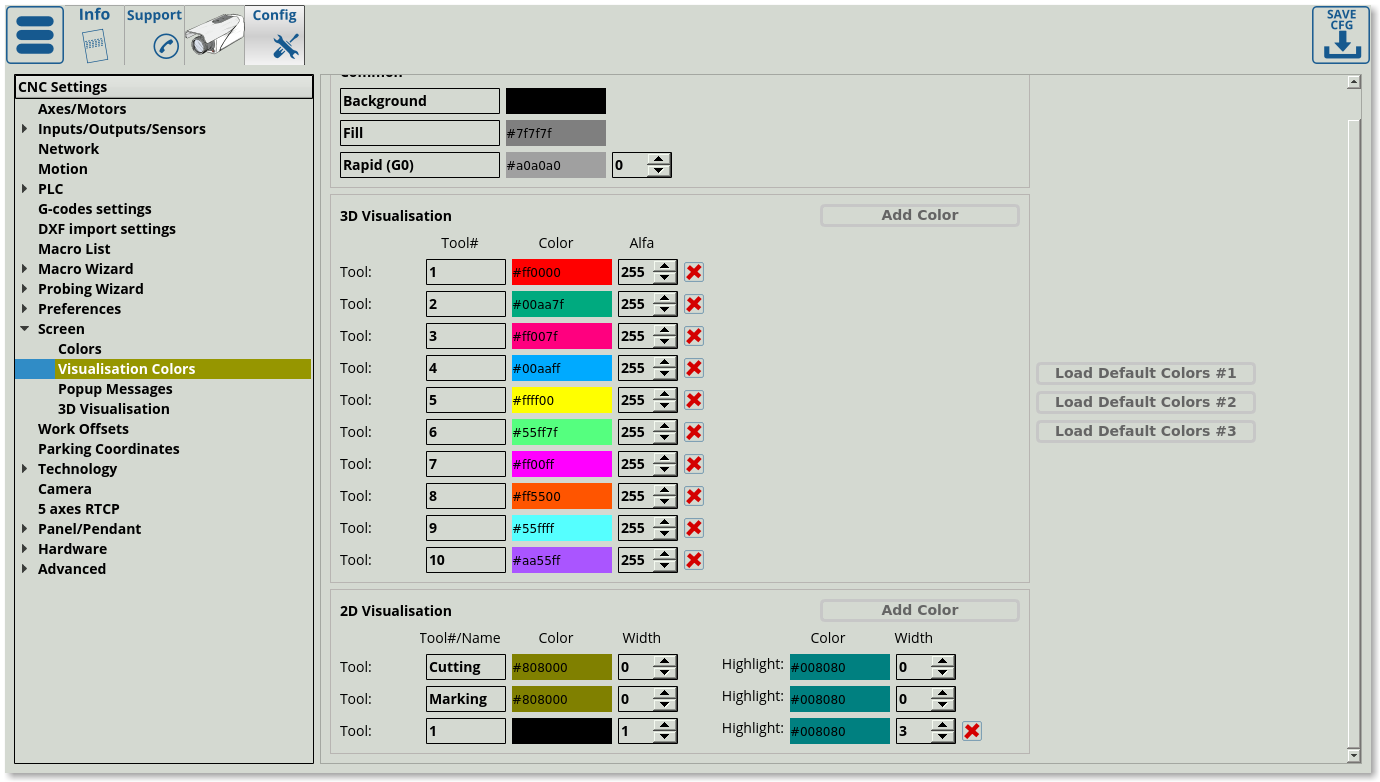
myCNC now allows to assign custom colours to different tools in the program file, allowing for an easier way to visualize the tool path and to distinguish where one tool will be switched for another. The settings can be found in Config > Screen > Visualization Colors.
As always, you can update either from within the myCNC program itself (Settings > Support), or by downloading the latest version from our Downloads page.
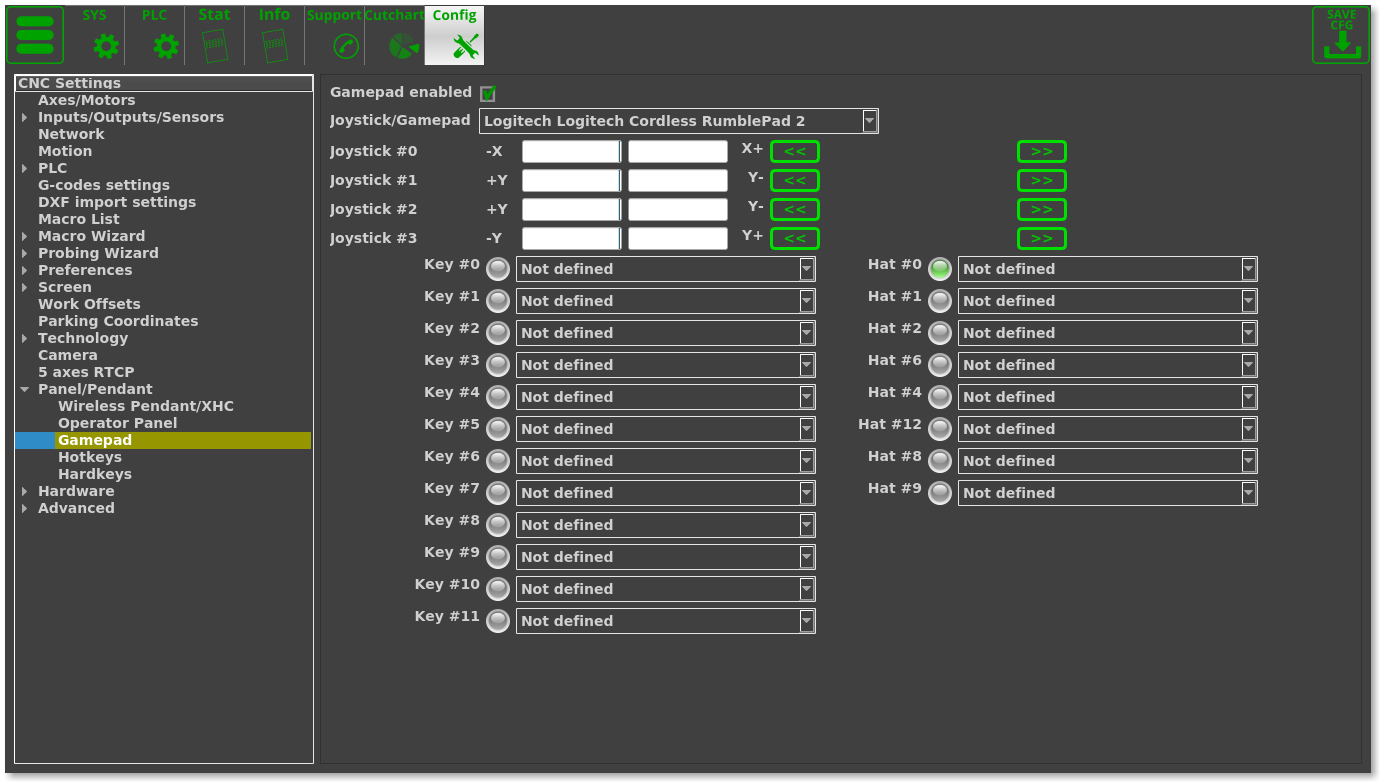
Gamepad controller settings revamped

myCNC now has a new gamepad controller settings window, which allows the user to edit the joystick controls and to remap all the individual controller keys to the commands listed here. The gamepad settings have been closed off previously, without a simple way to remap the individual keys should the user desire to do so.

The new update is currently available for Ubuntu 18.04 machines, and will be rolling out to other systems in the upcoming days. Read more about the gamepad settings here.
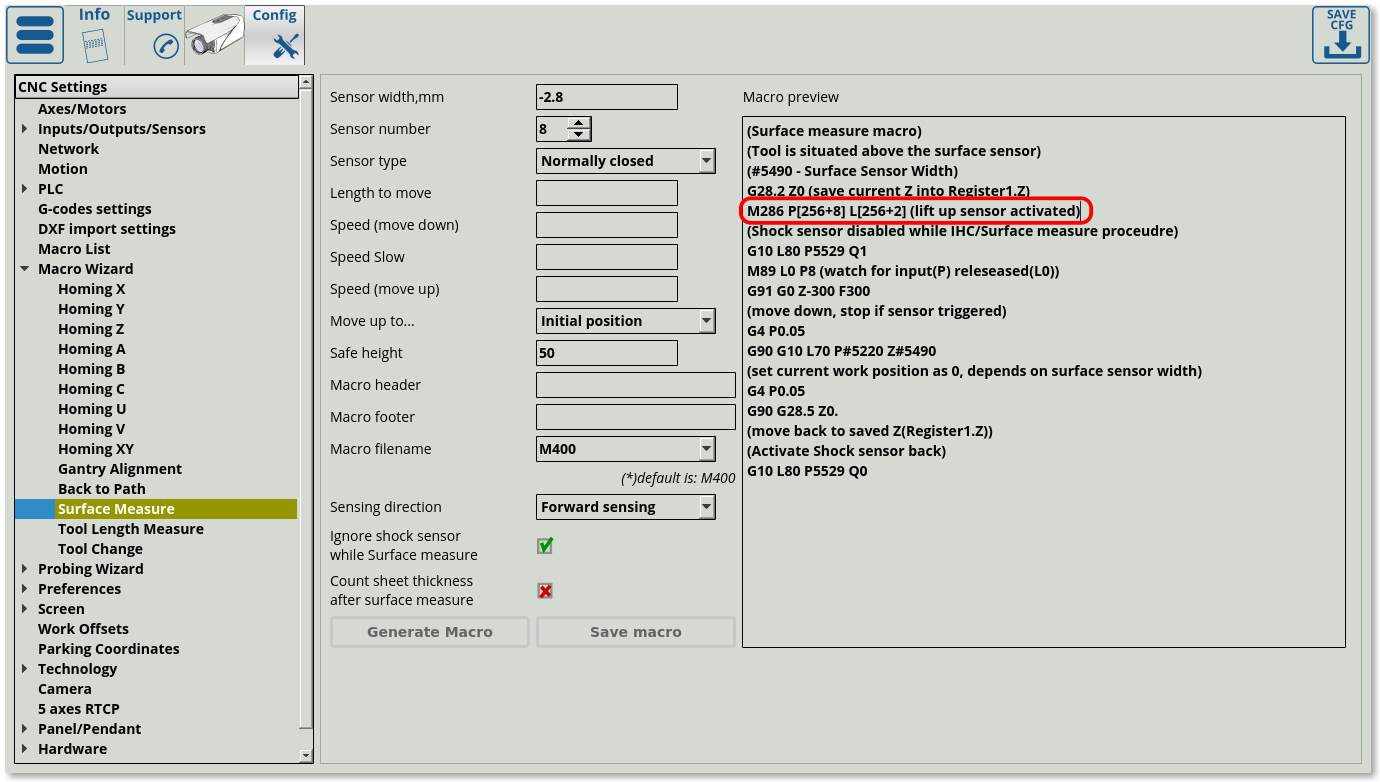
Changes to the Surface Measure macro

The Surface Measure macro now contains the M286 command. Previously, in case the operator had incorrectly positioned the probe tool to be in contact with the sensor before the surface measure process would start, the machine would not recognize that the sensor has been triggered before the start of the surface measure (the system would not see the sensor change its state from open to closed, and would therefore assume it is not triggered). This would cause the probe to continue moving down, potentially breaking either the sensor or the working tool. 

The new Surface Measure macro wizard prevents this from happening by adding the M286 macro (automatically generated). This macro checks if the sensor has been triggered before starting to bring down the probe, and if it is, the probe will be lifted up in increments of 1 mm, until the sensor is no longer triggered. After that, the surface measure macro will proceed as normal. 

Part Highlighing added to myCNC

A new part highlighting feature has been added to the myCNC plasma profile package. Previously, part selection has been done by scrolling through all the available parts, or by entering a specific part number which the user would have to know. The new system allows the user to simply point and click on the necessary part. The selected part will be highlighted in yellow, allowing the user to quickly identify the part boundaries within the larger program file. Additionally, the user will be able to click on the part and initiate the cutting process from that point in the control program.

The new features can be accessed by updating the myCNC application to the 1.88.3271 version, either by downloading it from the main website or by updating from within the application's Support tab.


Page 15 of 20

  • 10
  • 11
  • 12
  • 13
  • 14
  • 15
  • 16
  • 17
  • 18
  • 19
Puruvesi Automation
78 George St #204, Ottawa, ON K1N 5W1, Canada

+1 613 413 2223
sale@pv-automation.com
About
  • About Us
  • Global Reach
  • Our Projects
  • Blog
Technical Support
  • Contact Us
  • Documentation
  • FAQ
© 2013 - 2026 Puruvesi Automation. All rights reserved.