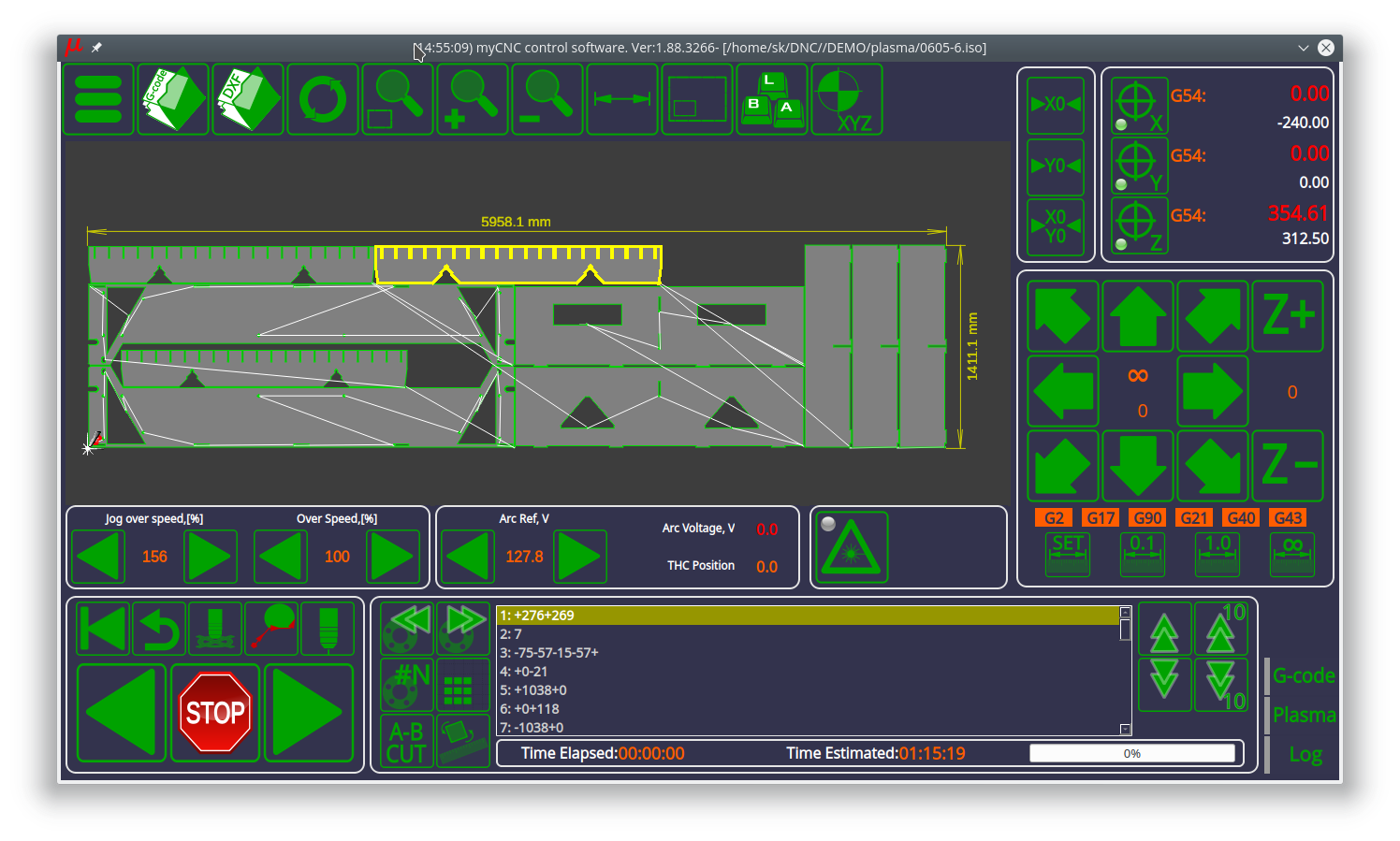
A new part highlighting feature has been added to the myCNC plasma profile package. Previously, part selection has been done by scrolling through all the available parts, or by entering a specific part number which the user would have to know. The new system allows the user to simply point and click on the necessary part. The selected part will be highlighted in yellow, allowing the user to quickly identify the part boundaries within the larger program file. Additionally, the user will be able to click on the part and initiate the cutting process from that point in the control program.
The new features can be accessed by updating the myCNC application to the 1.88.3271 version, either by downloading it from the main website or by updating from within the application's Support tab.
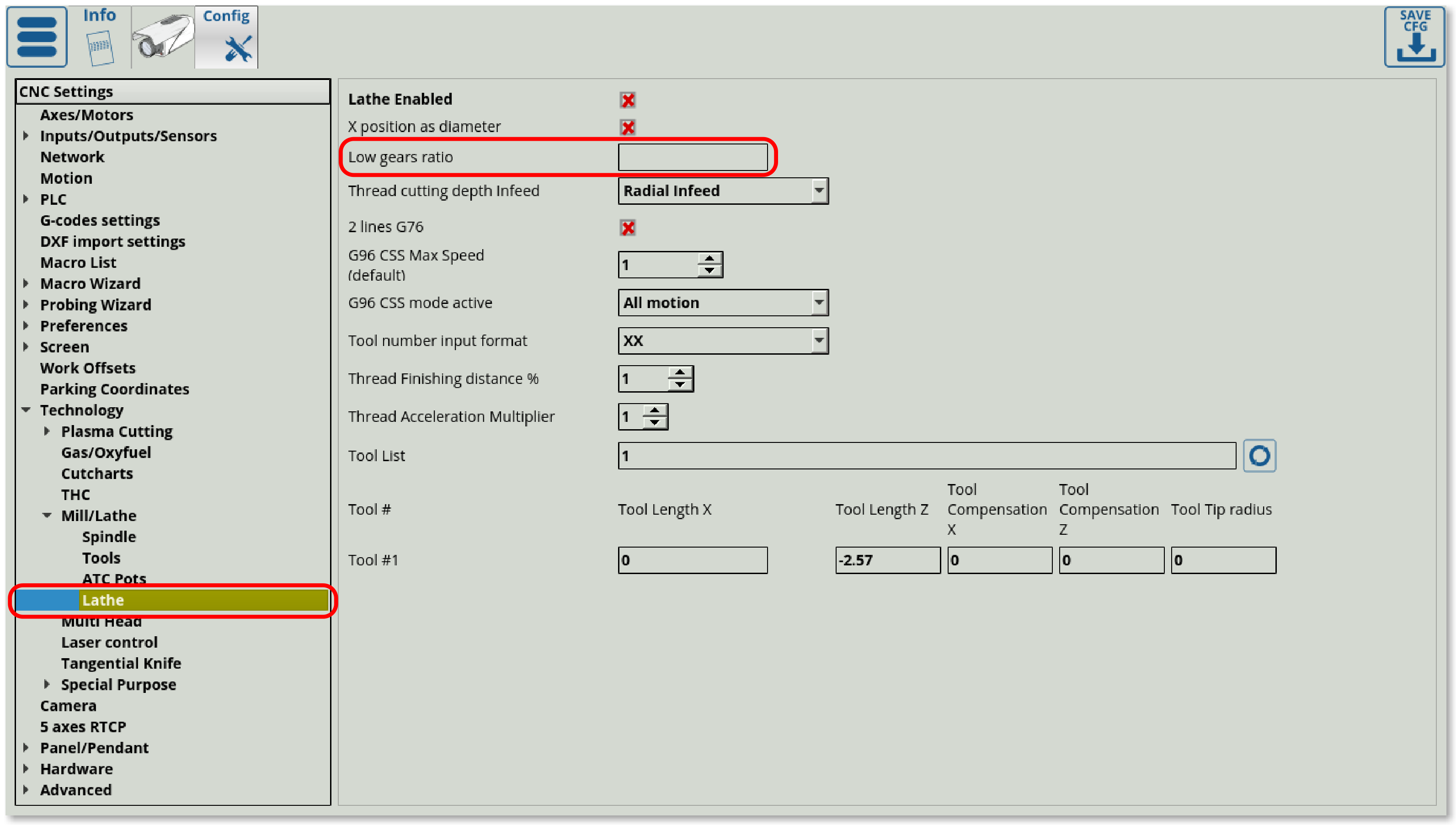
Low gear ratio control, which allows the user to switch to a lower gear on lathe machines for increased torque, has been added to myCNC. Previously, extensive alterations of G-code had to be performed in order to switch gears on-the fly, This setting allows the user to quickly switch between the regular (high) gear ratio and the low gear ratio, all the while maintaining constant spindle speed. The M41 G-code command switches the machine to a lower gear ratio, while the M42 switches it back up, with the user-provided ratio being automatically used to seamlessly transition between the two.
The latest release of the myCNC software can be downloaded from our Downloads page, or by going into Settings > Support within the myCNC app.

A new manual on wireless pendants has been added to the myCNC Documentation. The manual describes the setup and the settings in Panel/Pendant > Wireless Pendant/XHC, as well as goes into detail about the different actions that can be assigned to the pendant controls during the setup process. The process is designed to allow for a vast array of customization depending on the user's particular pendant and machine configuration.
The manual can be found here. Stay tuned for more documentation updates.
Our colleagues from Ukraine have shared a video of a unique fume exhaust control setup on a plasma machine which is running with the help of a myCNC-ET7 controller. The different fume extractor hoods open progressively as the machine moves across the plasma cutter table, allowing the machine to only run the fume exhaust directly where the current cutting position is located.
The myCNC team is currently working on developing a post processor for Fusion360. News regarding the post will be available on our blog, stay tuned for further updates.